
 Workflow Notification
This article introduces how to use the notification feature of Zadig workflows.
Notification Scenarios:
- Notify when a workflow event occurs, such as when a workflow starts, completes successfully, or is canceled.
- Orchestrate notification tasks within the process, for example, notifying a tester to confirm an operation at a specific node in the workflow.
Notification Methods:
- Feishu Group Notification
- Feishu Member Notification
- DingTalk
- Enterprise WeChat
- Microsoft Teams
- Webhook
# Feishu Group Notification
Supports two configuration methods: "Custom Robot" and "Self-Built Application"
# How to Configure
# Custom Robot Notification
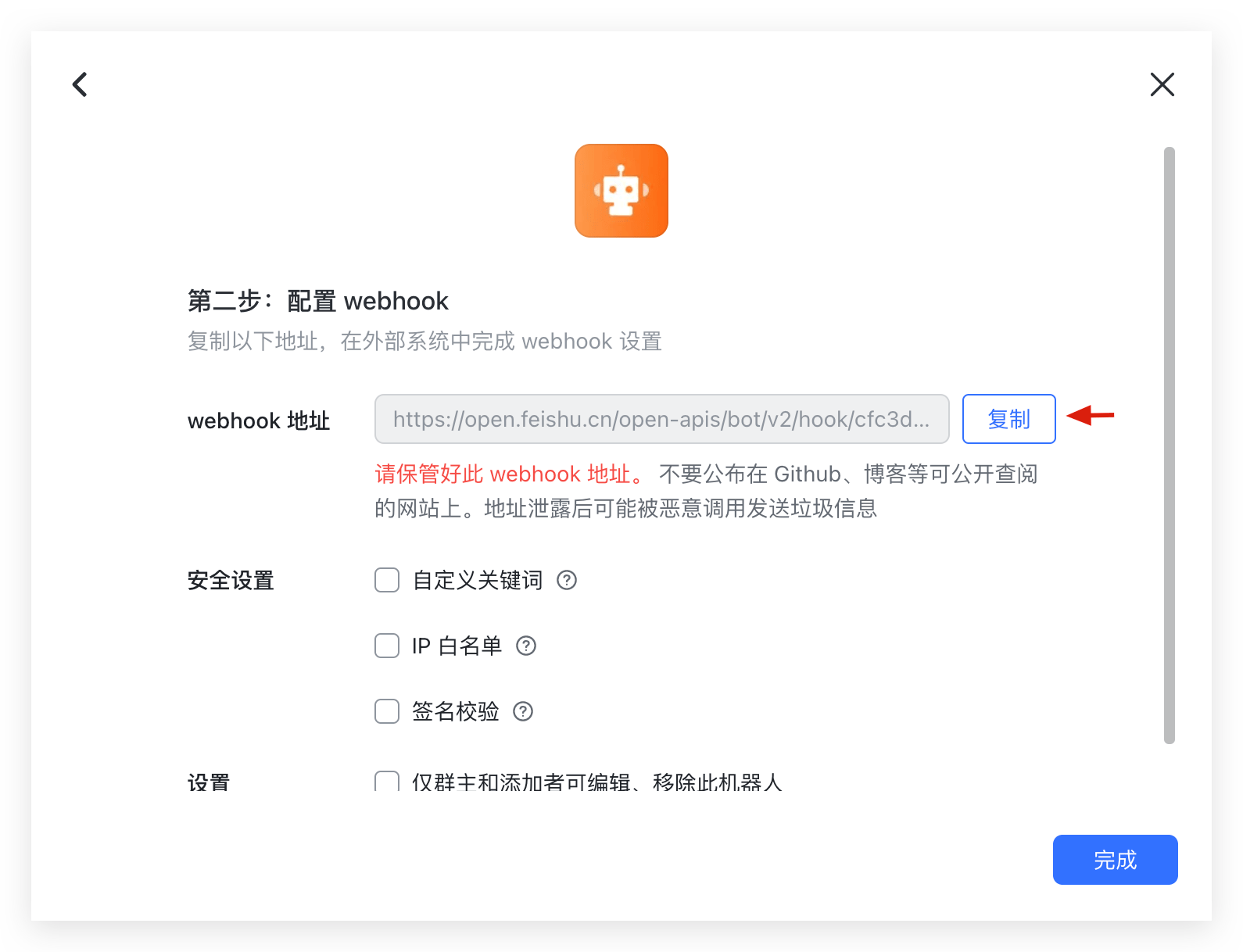
Step 1: Add a custom robot to the Feishu group and obtain the Webhook address. Refer to How to Use Robots in a Group(opens new window)
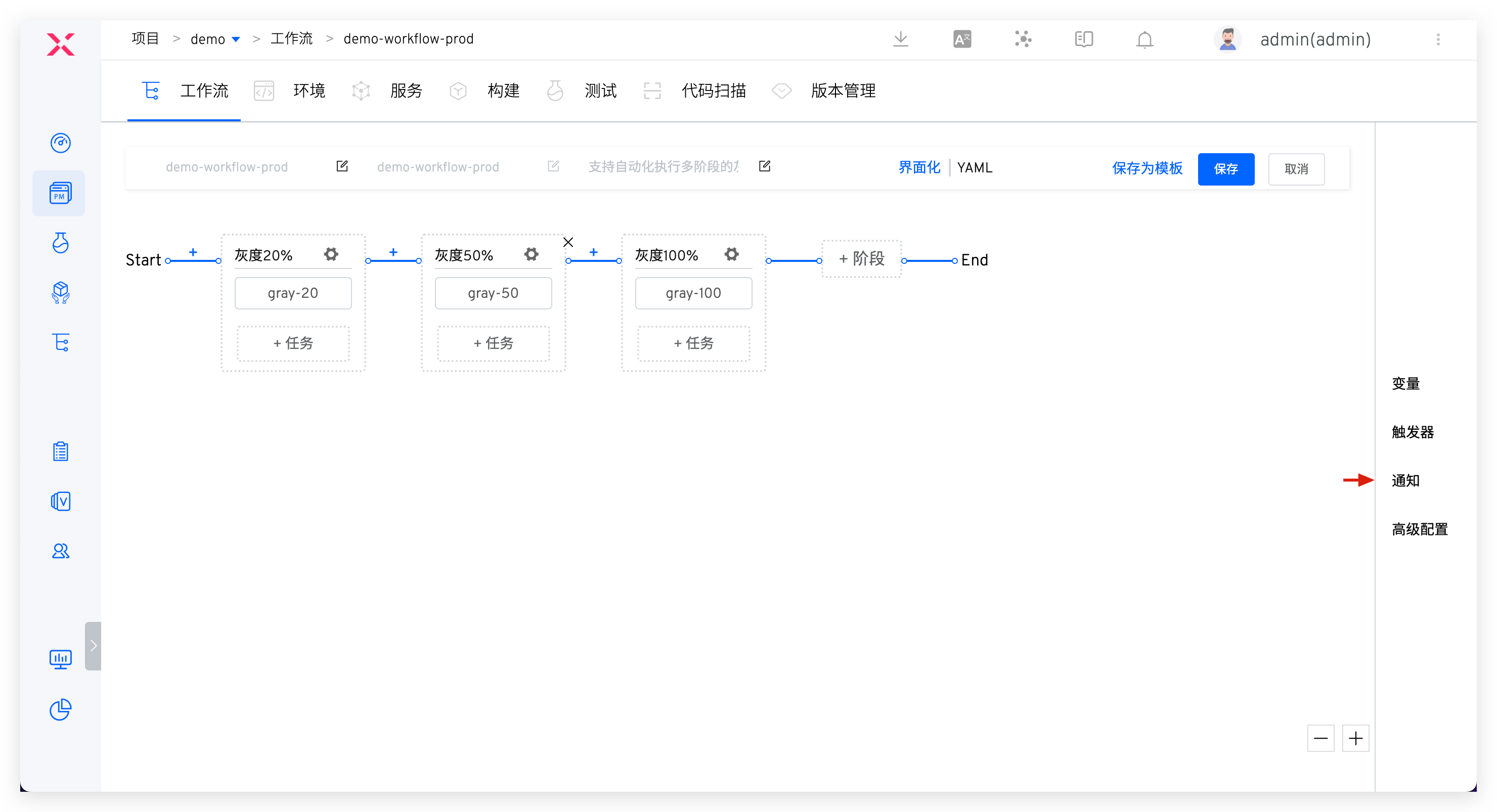
Step 2: Edit the workflow and add a Feishu notification.
Parameter Description:
Notification Type: SelectFeishuWebhook Address: The Webhook address obtained in Step 1@Specific Members: If you want to notify specific individuals, enter the corresponding user IDs, separated by;for multiple usersNotification Events: Configure the notification rules, and multiple workflow statuses can be selected
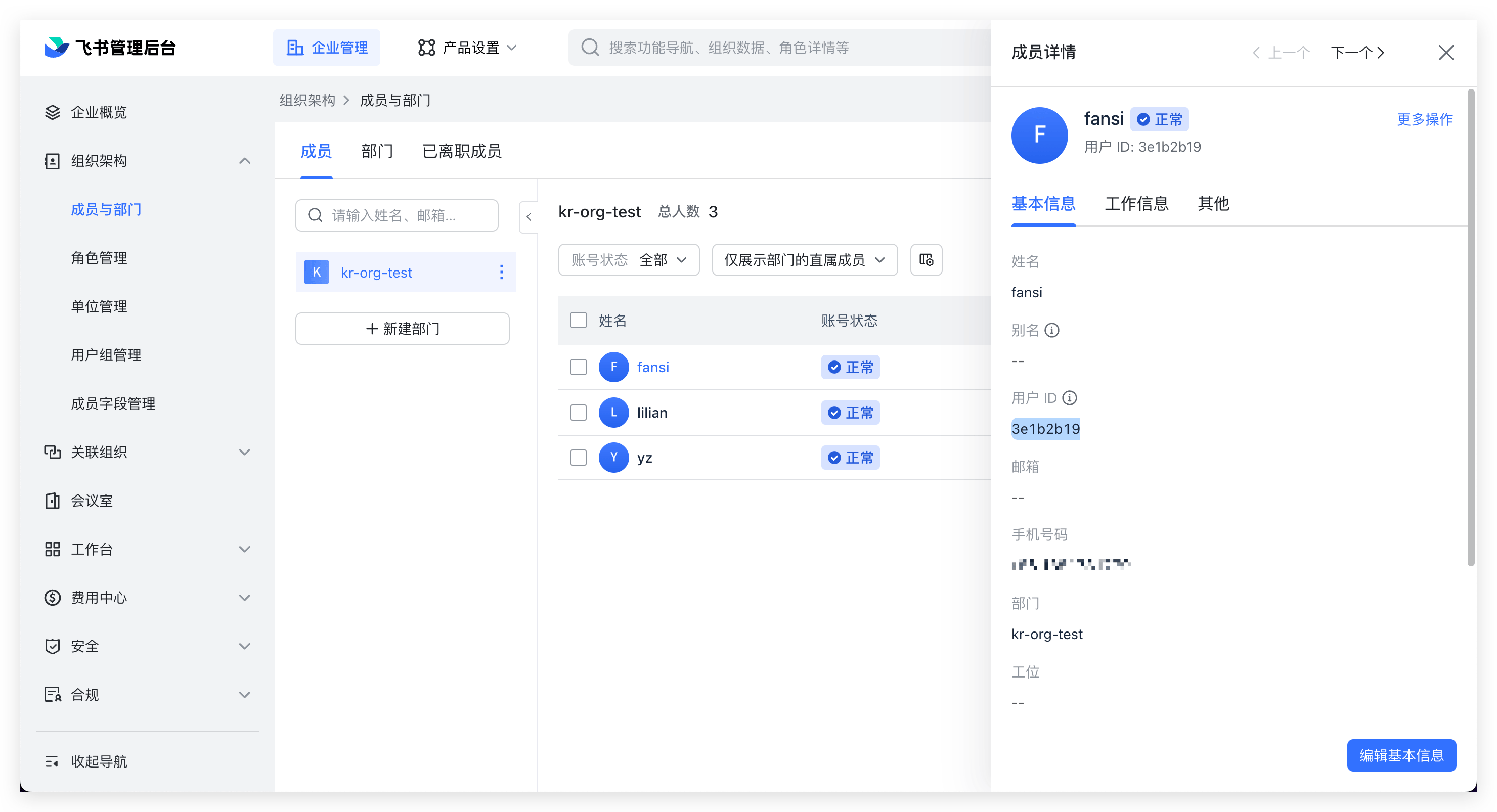
Enter the Feishu management backend, click on Organizational Structure > Members and Departments, and select members to obtain their IDs.
# Self-Built Application Notification
Step 1: Integrate Feishu IM on Zadig
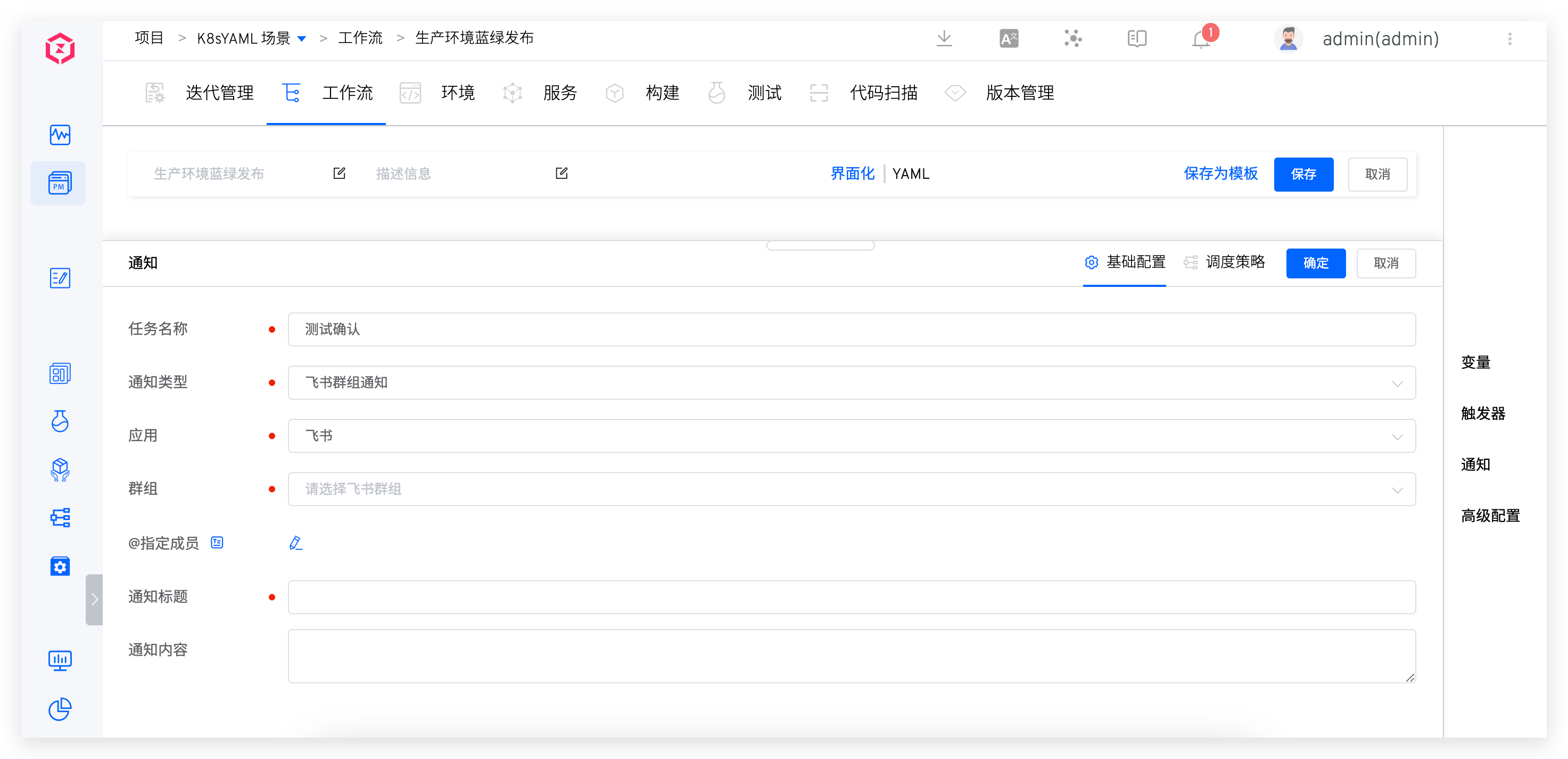
Step 2: Edit the workflow and add a Feishu notification.
# Notification Effect
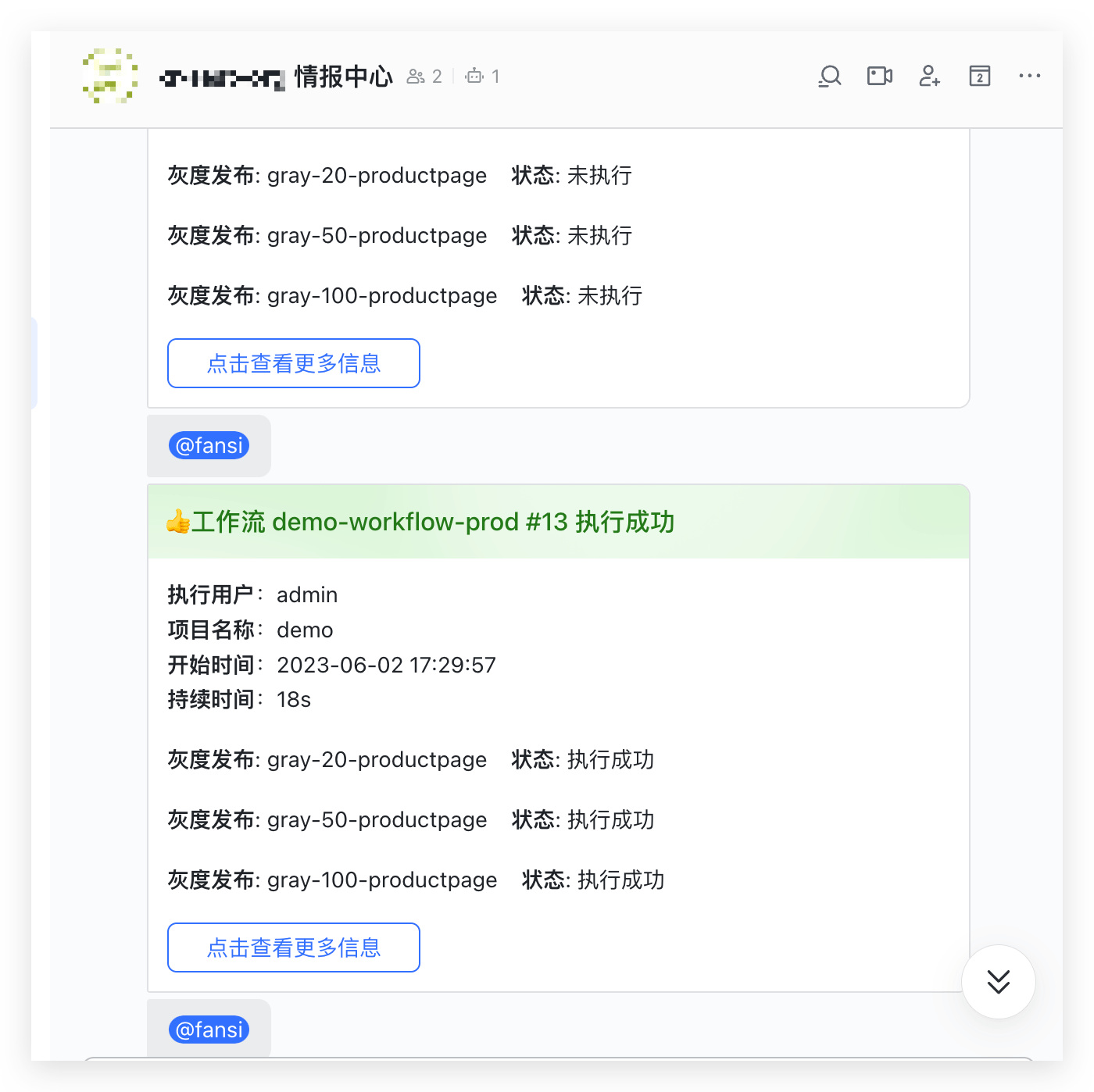
# Feishu Member Notification
# How to Configure
Step 1: Integrate Feishu IM on Zadig
Step 2: Edit the workflow and add a Feishu notification.
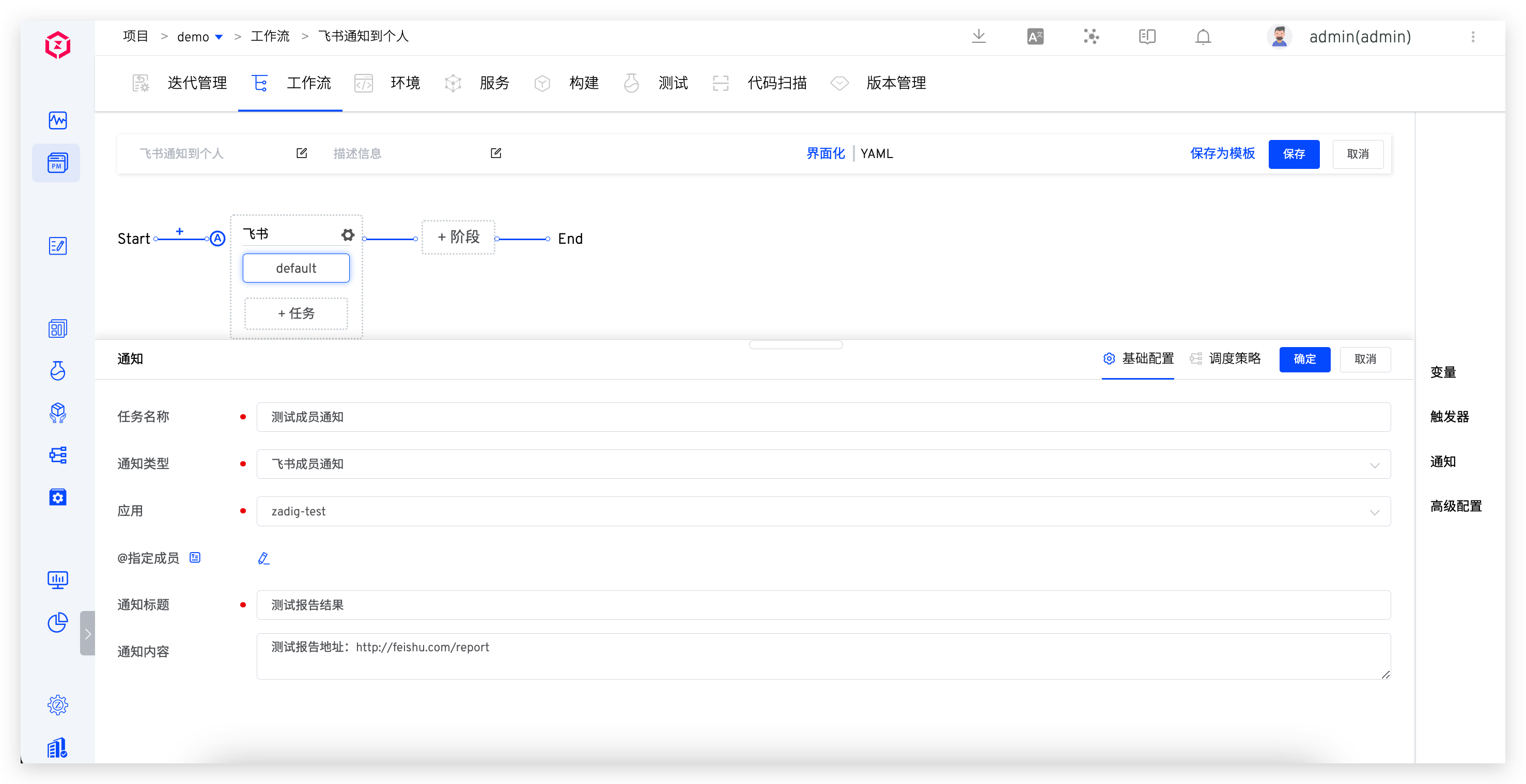
# Notification Effect
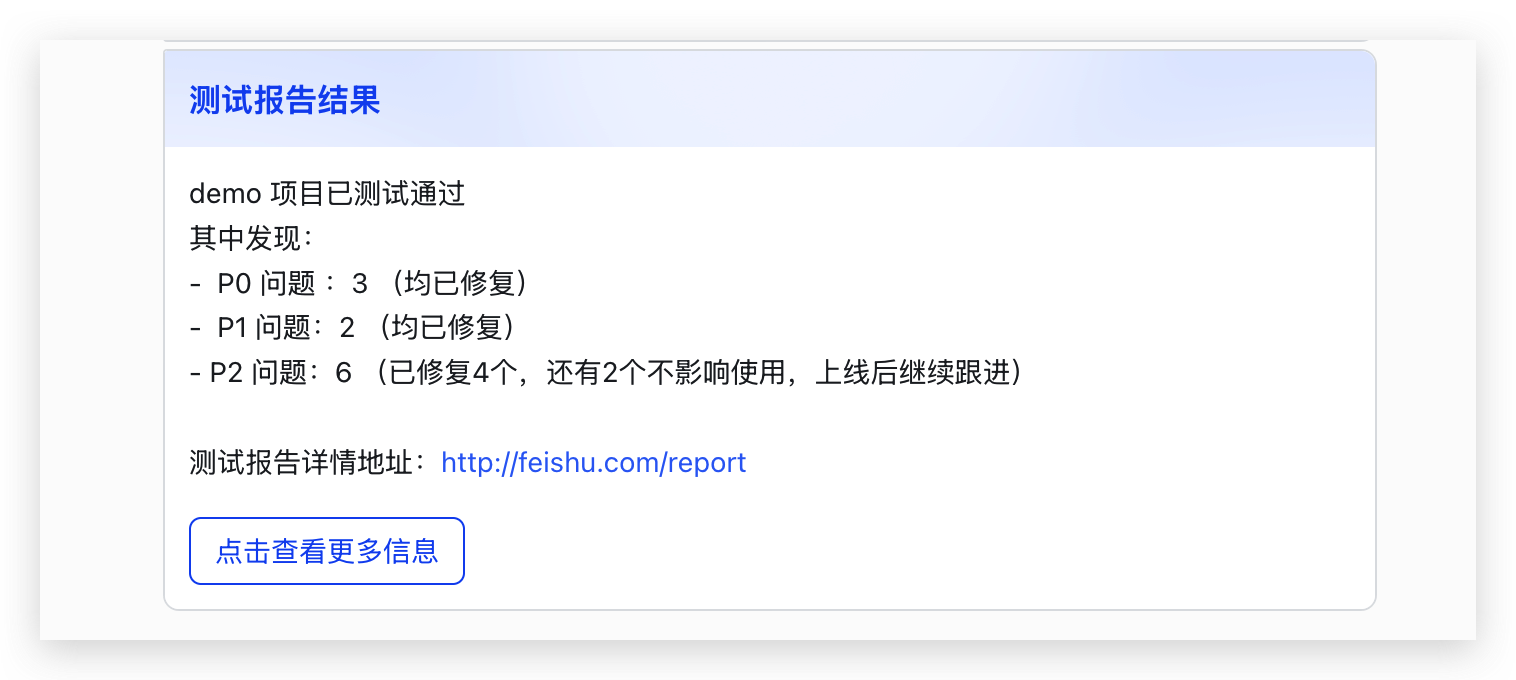
# DingTalk
# How to Configure
Step 1: Configure a DingTalk custom robot and obtain the Webhook address. Refer to Add DingTalk Custom Robot(opens new window).
Tip
When configuring a custom robot in DingTalk, if the security setting is specified as Custom Keyword, configure the keyword as Workflow.
Step 2: Edit the workflow and add a DingTalk notification.
Parameter Description:
Notification Type: SelectDingTalkWebhook Address: The Webhook address obtained in Step 1@Specific Members: If you want to notify specific individuals, enter the mobile phone numbers of the corresponding DingTalk users, separated by;for multiple usersNotification Events: Configure the notification rules, and multiple workflow statuses can be selected
# Notification Effect
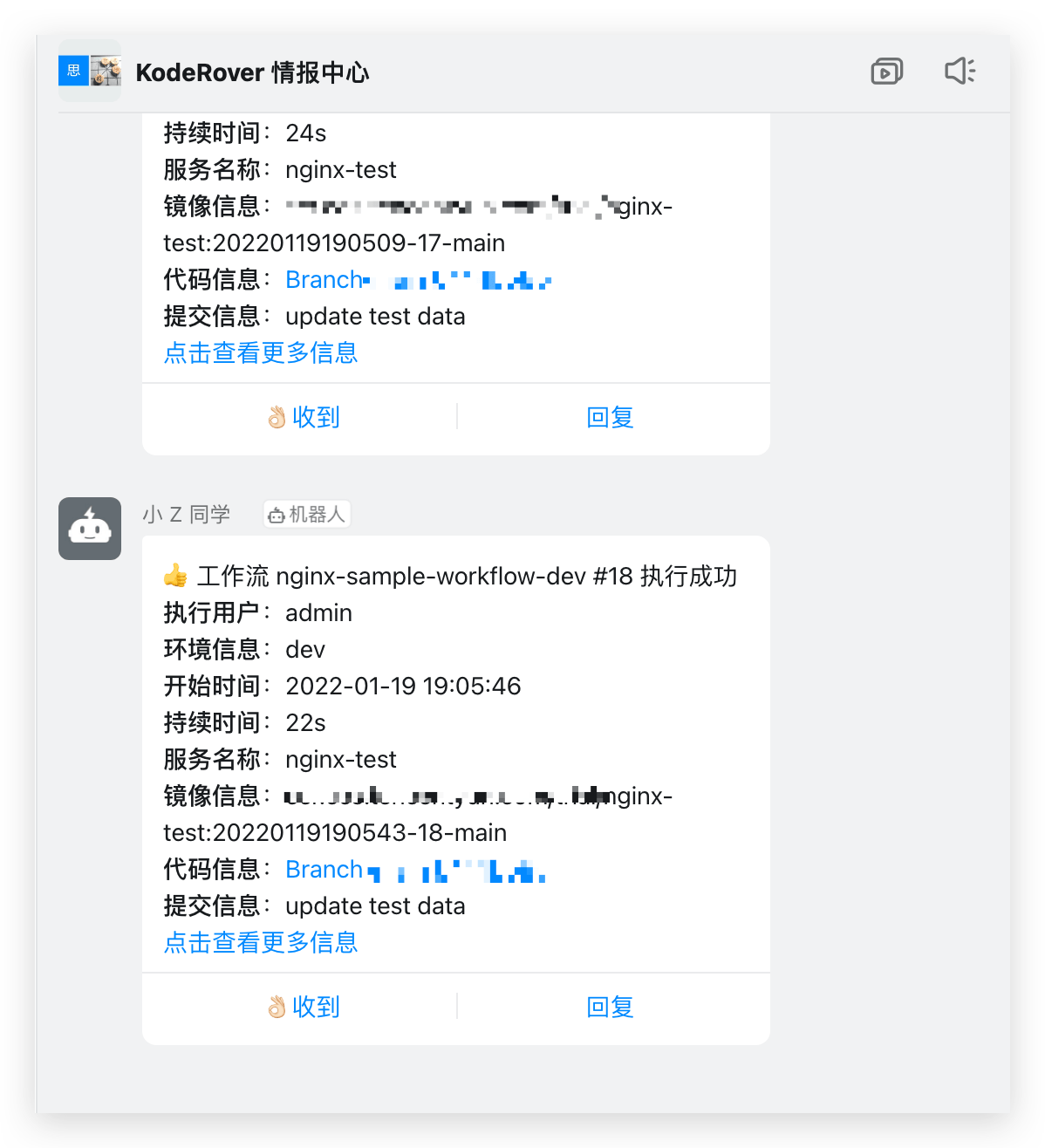
# Enterprise WeChat
# How to Configure
Step 1: Add the enterprise WeChat group robot and get the Webhook address, refer to How to Set Up Enterprise WeChat Group Robot(opens new window).
Step 2: Edit the workflow and add an Enterprise WeChat notification.
Parameter Description:
Notification Type: SelectEnterprise WeChatWebhook Address: The Webhook address obtained in Step 1@Specific Members: If you want to notify specific individuals, enter the corresponding user IDs, separated by;for multiple usersNotification Events: Configure the notification rules, and multiple workflow statuses can be selected
Refer to How to Obtain a Member's UserID(opens new window) to get the user ID
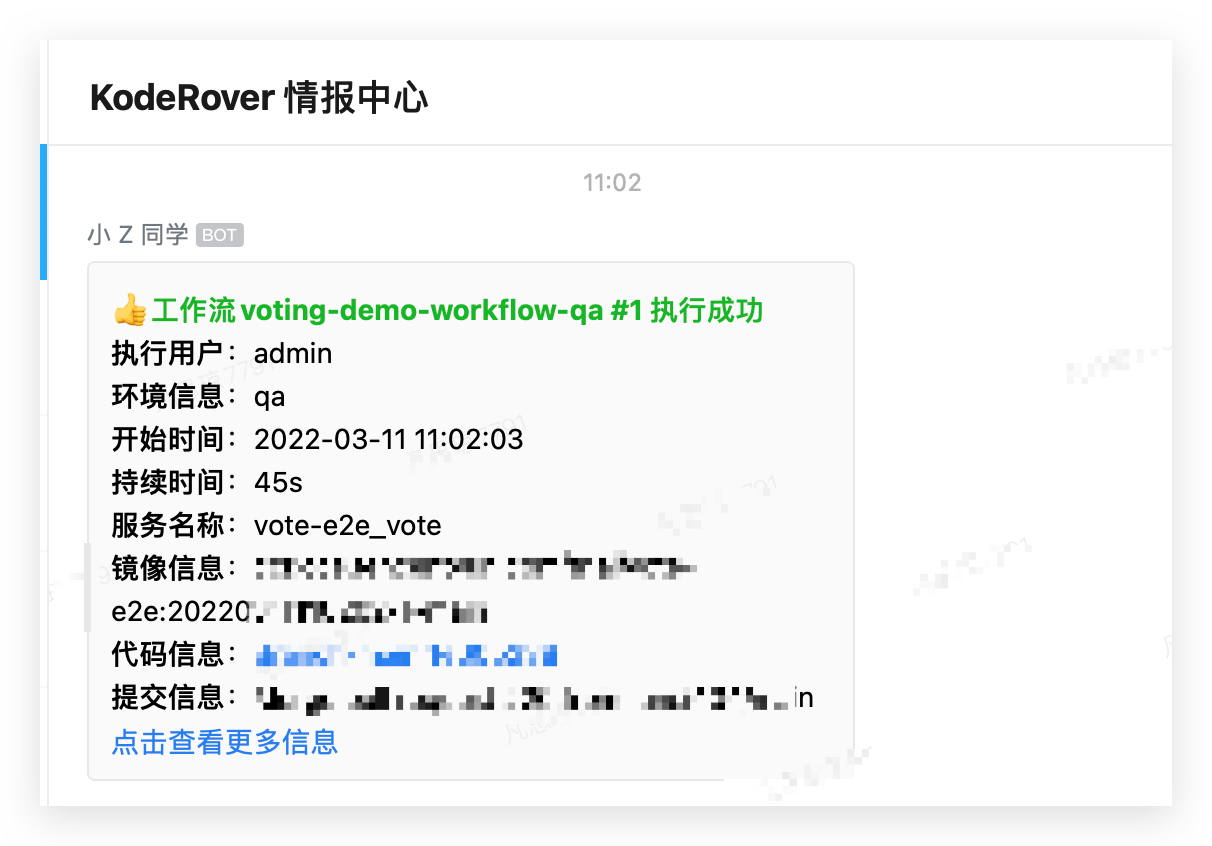
# Notification Effect
# Microsoft Teams
# How to Configure
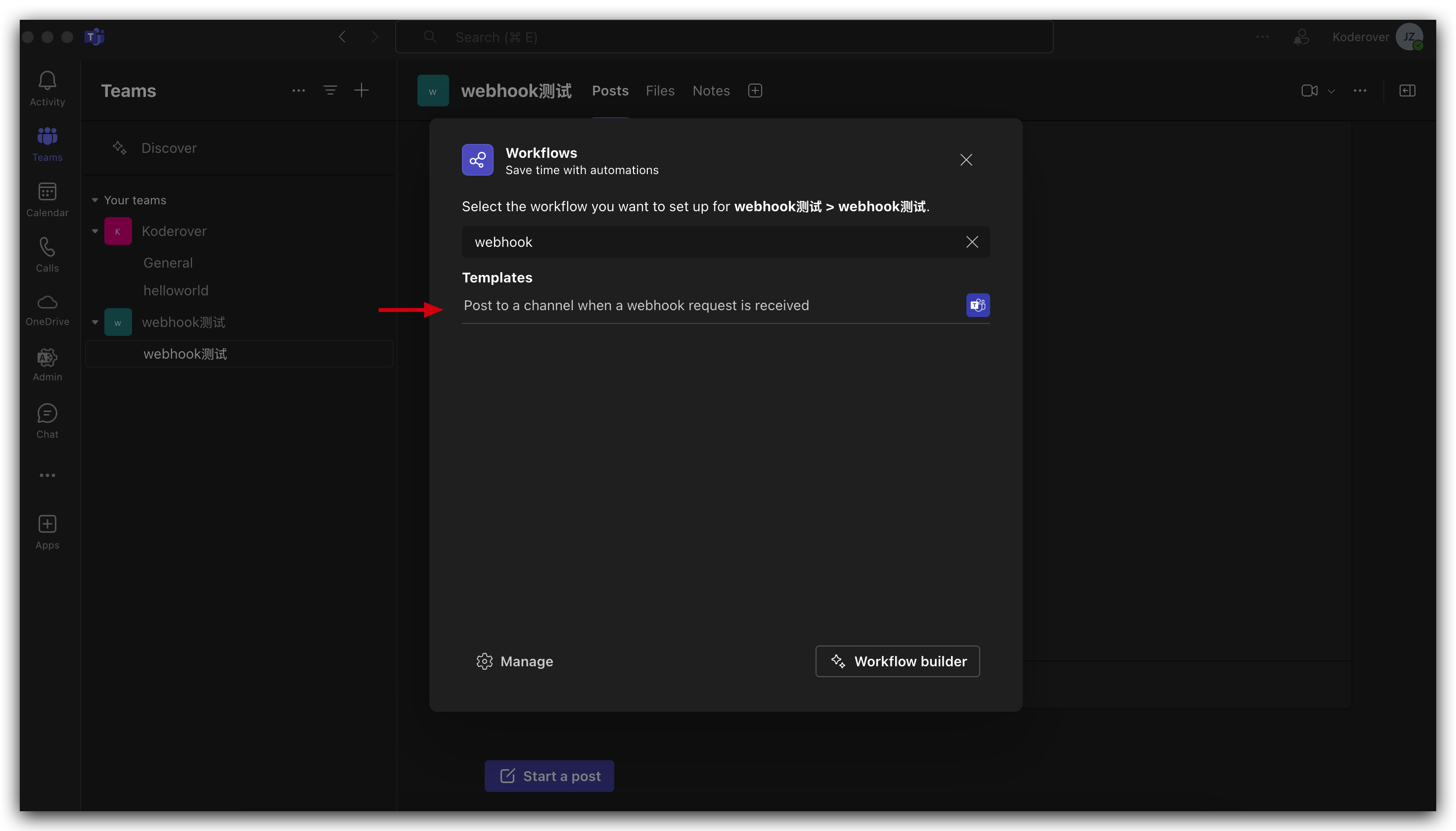
Step 1: In the Teams Workflows App, create a workflow based on the "Post to a channel when a webhook request is received" template. Refer to the specific configuration in the Teams Official Documentation(opens new window)
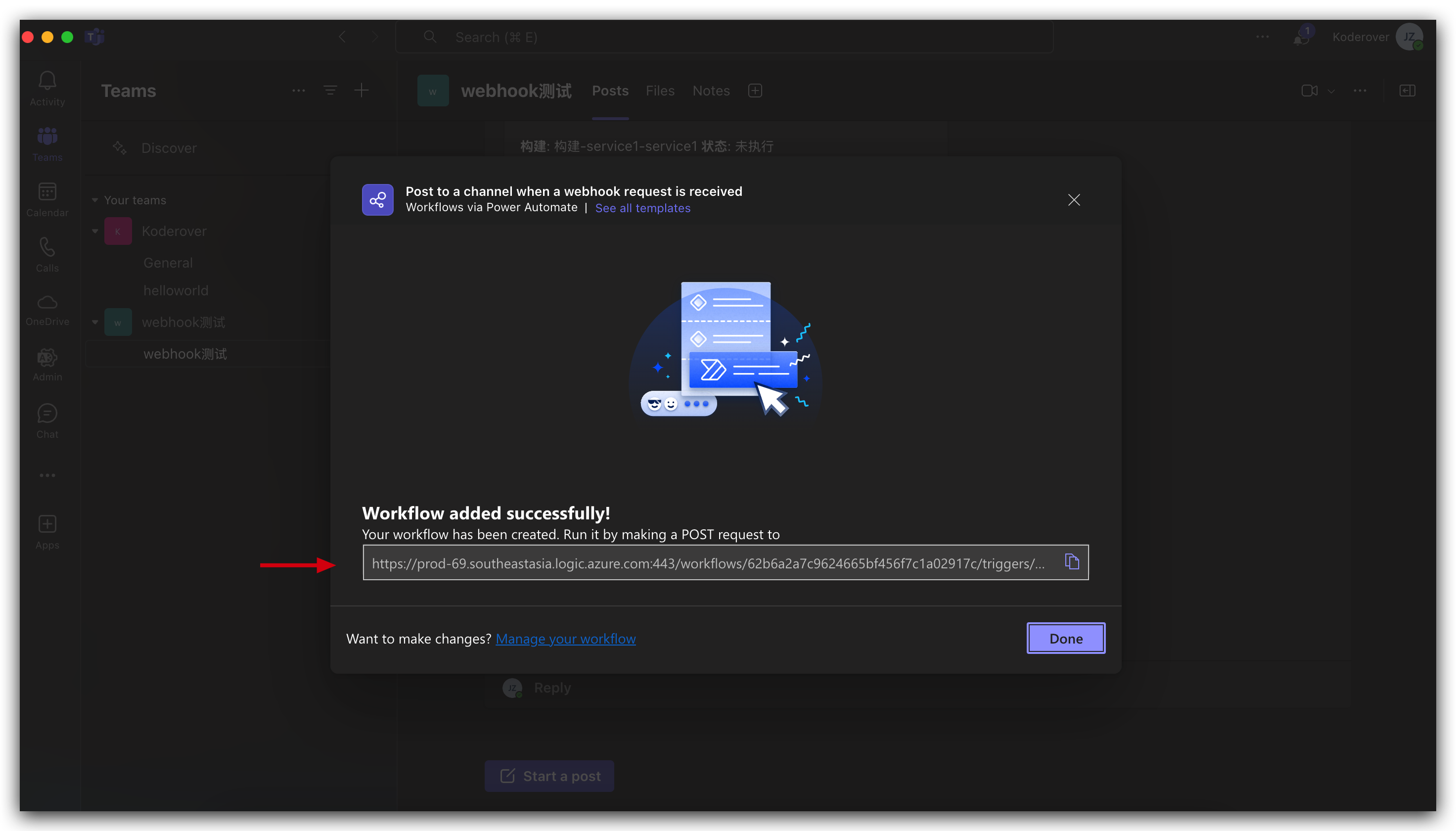
Step 2: After successful creation, obtain the Webhook address.
Step 3: Edit the workflow and add a Teams notification.
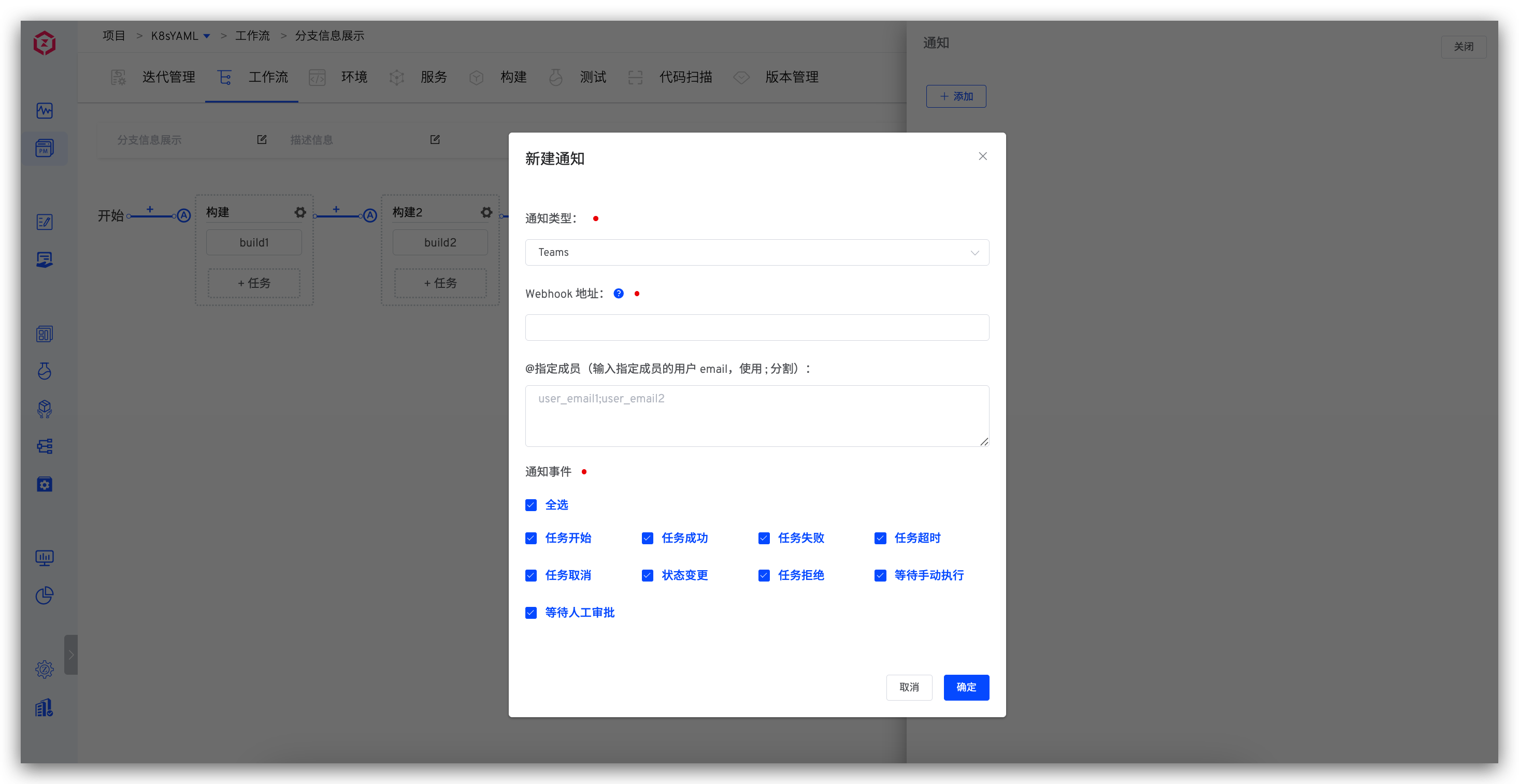
Parameter Description:
Webhook Address: The Webhook address obtained in Step 2Specific Members: If you want to notify specific individuals, enter the email addresses of the corresponding Teams users, separated by;for multiple users
# Notification Effect
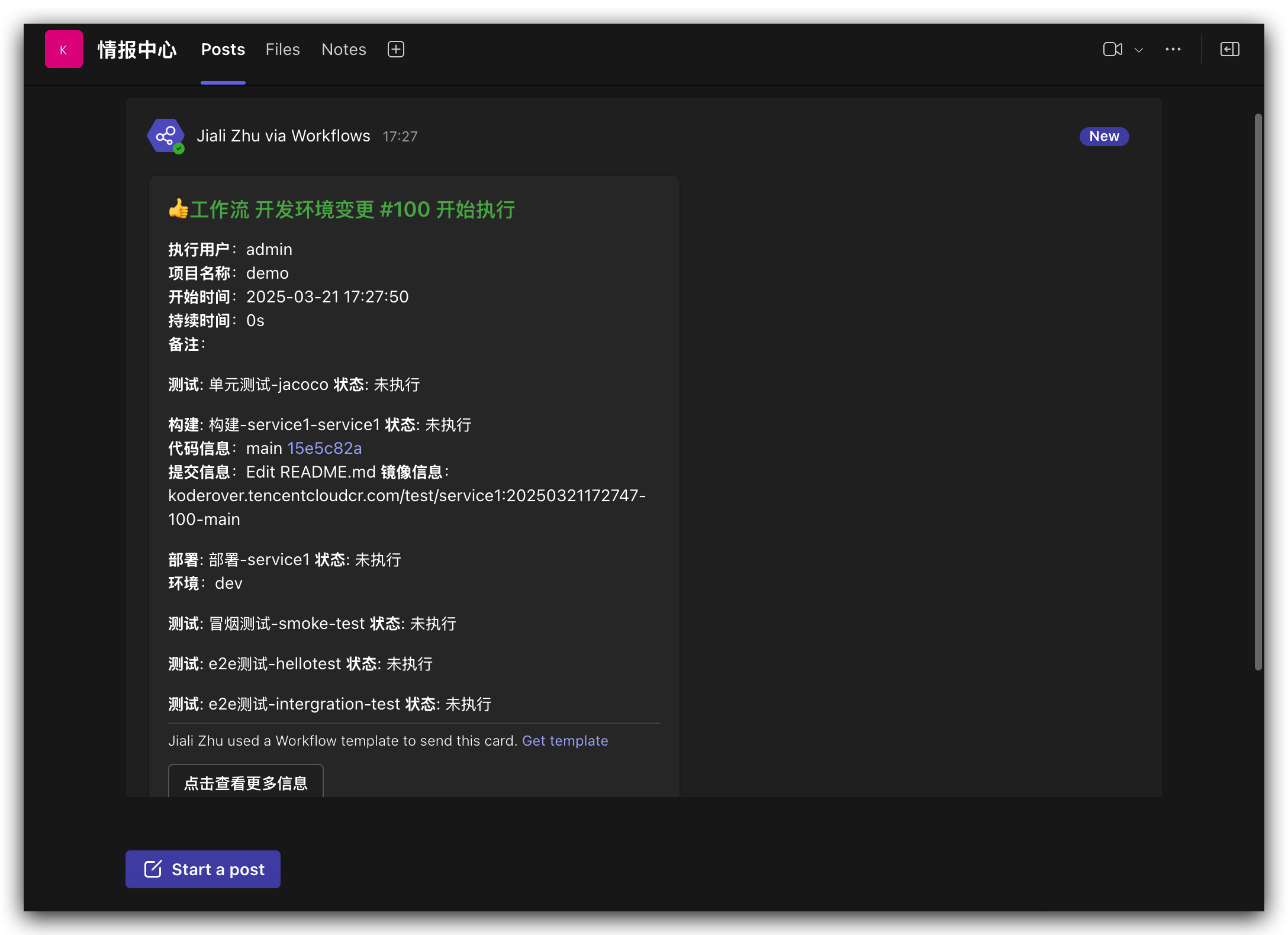
# How to Configure
Step 1: The system administrator goes to "System Settings" -> "System Configuration" -> "Mail Configuration" to configure the sending mail server configuration. For specific configuration, refer to Email Configuration.
Step 2: Edit the workflow and add an email notification.
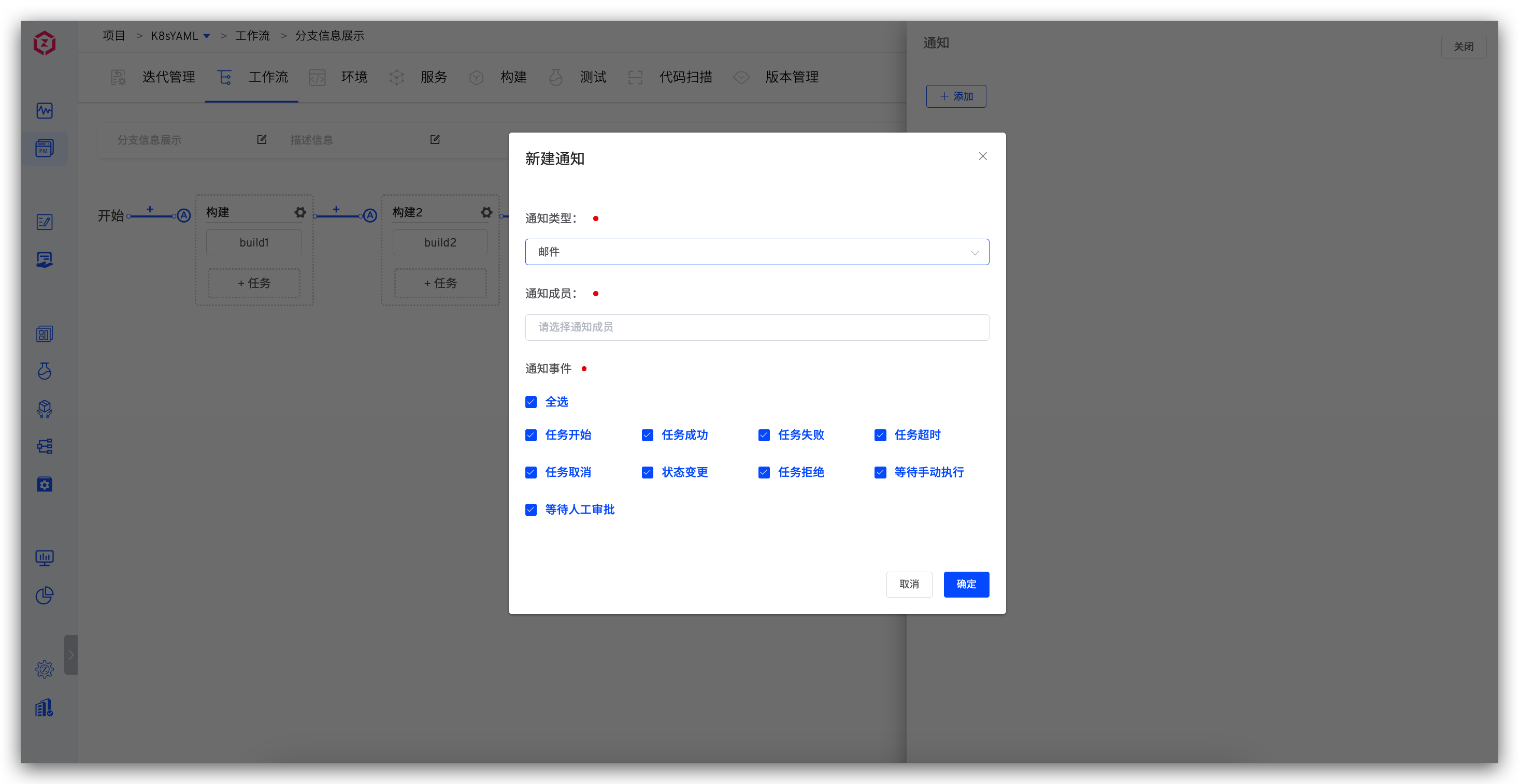
Parameter Description:
Notification Members: You can select the workflow executor, user or user group. Make sure that the notification member has configured personal email in the "Account Settings".Notification Events: Configure the notification rules, and multiple workflow statuses can be selected.
# Notification Effect
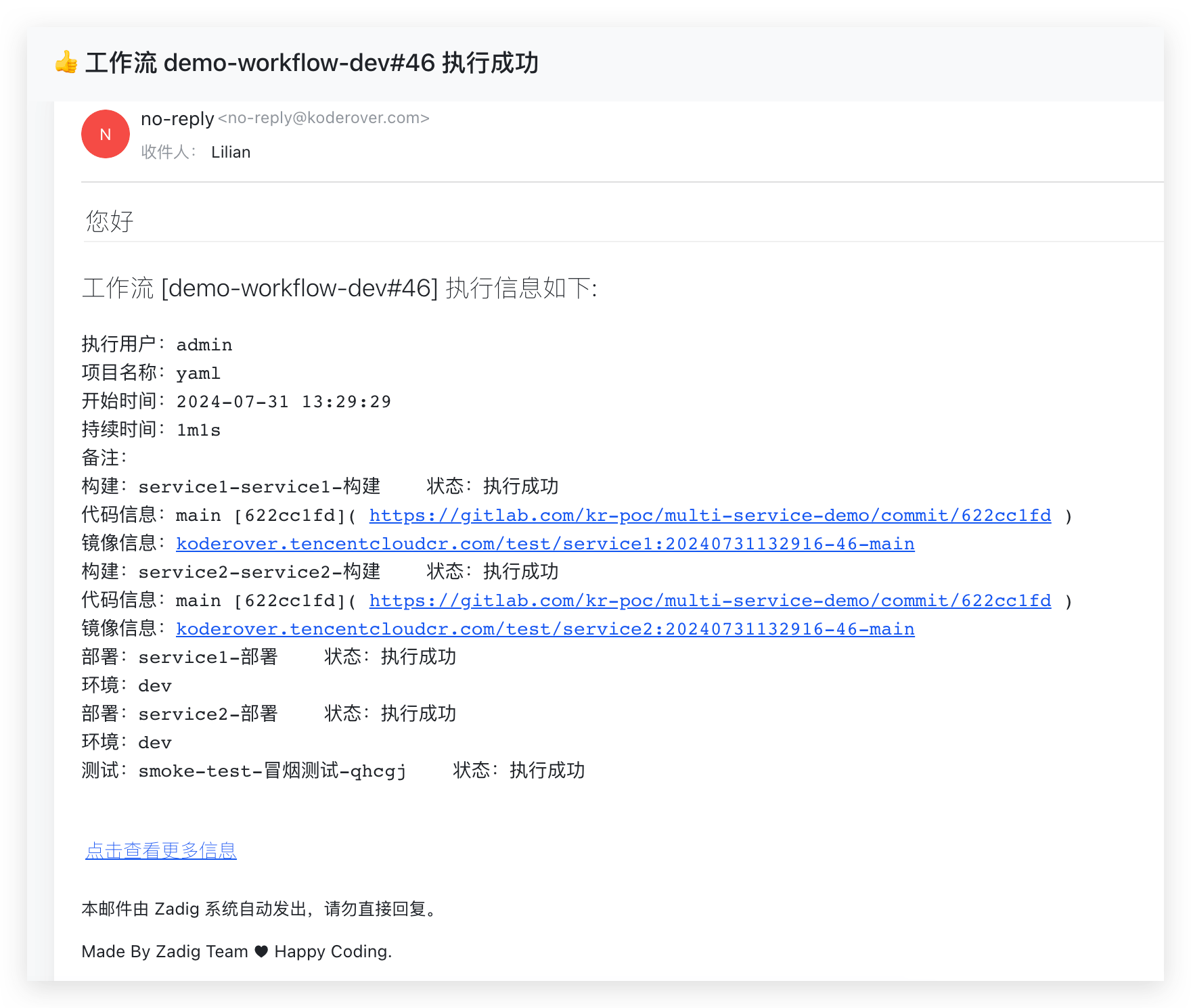
# Webhook Notification
# How to Configure
Edit the workflow and add a Webhook type notification. 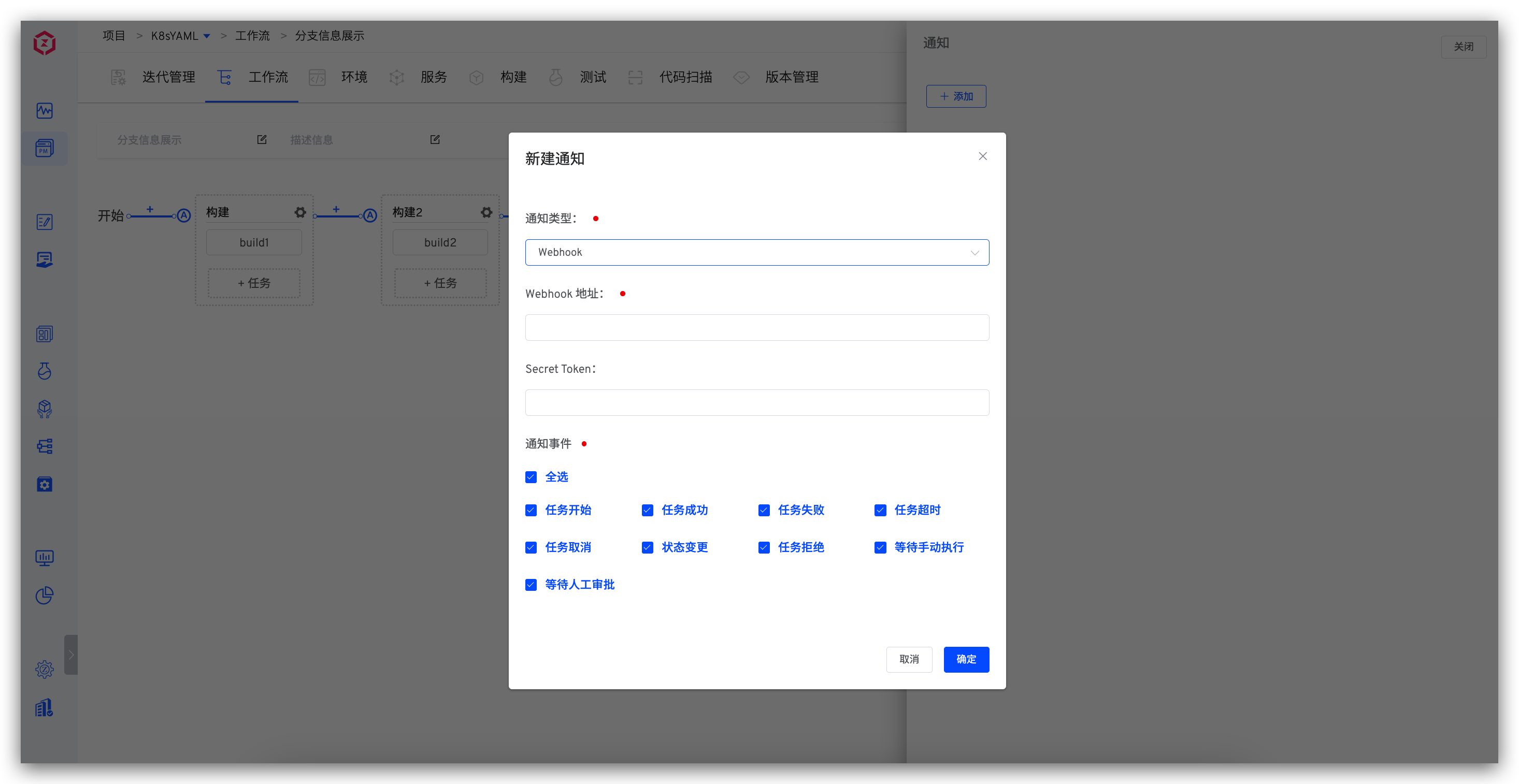
# Payload
# Header Information
x-zadig-event: The value is workflowx-zadig-event-uuid: The unique identifier of the webhook eventx-zadig-instance: Zadig access addressx-zadig-token: If a Secret Token is configured, it will be sentx-zadig-webhook-uuid: The unique identifier of the Webhook
# Webhook Request Example
Details
curl -X "POST" "https://webhook.site/764375c9-3dd3-41a0-9392-e284015a811e" \
     -H 'Accept-Encoding: gzip' \
     -H 'X-Zadig-Webhook-Uuid: c1bdb079-2653-4f90-96f0-171e621583a9' \
     -H 'X-Zadig-Token: 764375c9-3dd3-41a0-9392-e284015a811e' \
     -H 'X-Zadig-Instance: https://course.koderover.com' \
     -H 'X-Zadig-Event-Uuid: 496534b5-8ac1-4c97-9ddd-be93821f6dc0' \
     -H 'X-Zadig-Event: workflow' \
     -H 'Content-Type: application/json' \
     -H 'Accept: application/json' \
     -H 'Content-Length: 1898' \
     -H 'User-Agent: Zadig/3.2.0' \
     -H 'Host: webhook.site' \
     -d $'{
  "object_kind": "workflow",
  "event": "workflow",
  "workflow": {
    "task_creator": "admin",
    "project_name": "yaml",
    "task_creator_id": "89358827-5137-11ee-b0c5-56d5fd1dd39e",
    "task_creator_email": "xxx@koderover.com",
    "stages": [
      {
        "status": "passed",
        "start_time": 1722404733,
        "end_time": 1722404763,
        "name": "build",
        "jobs": [
          {
            "status": "passed",
            "end_time": 1722404763,
            "start_time": 1722404733,
            "spec": {
              "repositories": [
                {
                  "source": "gitlab",
                  "repo_namespace": "kr-poc",
                  "branch": "main",
                  "commit_id": "622cc1fdfaa87cd72d33c227a1895b860c0e7bd3",
                  "commit_url": "https://gitlab.com/kr-poc/multi-service-demo/commit/622cc1fd",
                  "repo_name": "multi-service-demo",
                  "prs": null,
                  "tag": "",
                  "repo_owner": "kr-poc",
                  "commit_message": "Update deployment.yaml"
                }
              ],
              "image": "koderover.tencentcloudcr.com/test/service1:20240731134527-47-main"
            },
            "type": "zadig-build",
            "error": "",
            "name": "service1-service1-build"
          }
        ],
        "error": ""
      },
      {
        "status": "passed",
        "start_time": 1722404763,
        "end_time": 1722404771,
        "name": "deploy-dev-environment",
        "jobs": [
          {
            "status": "passed",
            "end_time": 1722404771,
            "start_time": 1722404763,
            "spec": {
              "env": "dev",
              "service_name": "service1",
              "service_modules": [
                {
                  "service_module": "service1",
                  "image": "koderover.tencentcloudcr.com/test/service1:20240731134527-47-main"
                }
              ]
            },
            "type": "zadig-deploy",
            "error": "",
            "name": "service1-deploy"
          }
        ],
        "error": ""
      },
      {
        "status": "passed",
        "start_time": 1722404771,
        "end_time": 1722404783,
        "name": "smoke-test",
        "jobs": [
          {
            "status": "passed",
            "end_time": 1722404783,
            "start_time": 1722404771,
            "spec": null,
            "type": "zadig-test",
            "error": "",
            "name": "smoke-test-smoke-test"
          }
        ],
        "error": ""
      }
    ],
    "error": "",
    "start_time": 1722404733,
    "workflow_name": "demo-workflow-dev",
    "detail_url": "https://course.koderover.com/v1/projects/detail/yaml/pipelines/custom/demo-workflow-dev?display_name=demo-workflow-dev",
    "task_id": 47,
    "remark": "",
    "workflow_display_name": "demo-workflow-dev",
    "end_time": 1722404783,
    "task_creator_phone": "1340096xxxx",
    "create_time": 1722404727,
    "status": "passed"
  }
}'
2
3
4
5
6
7
8
9
10
11
12
13
14
15
16
17
18
19
20
21
22
23
24
25
26
27
28
29
30
31
32
33
34
35
36
37
38
39
40
41
42
43
44
45
46
47
48
49
50
51
52
53
54
55
56
57
58
59
60
61
62
63
64
65
66
67
68
69
70
71
72
73
74
75
76
77
78
79
80
81
82
83
84
85
86
87
88
89
90
91
92
93
94
95
96
97
98
99
100
101
102
103
104
105
106
107
108
109
110
111
112
113
114

